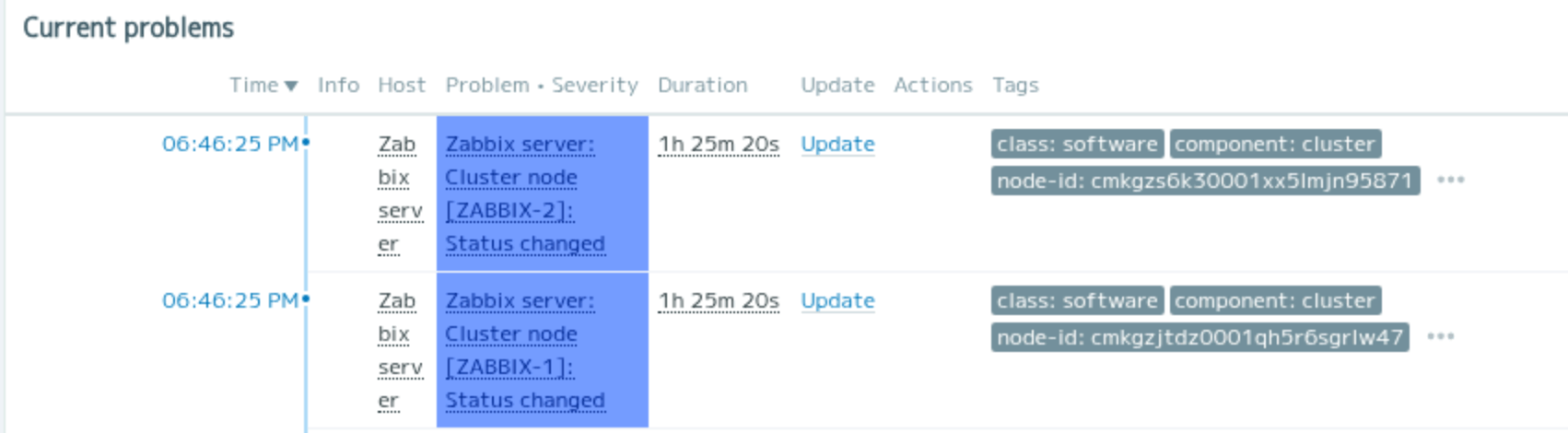
High availability (HA) has been supported in Zabbix since version 6.0, but I had never actually tested it myself.
According to most online information, Zabbix HA only provides redundancy for the Zabbix server process itself. It does not include database redundancy or VIP-based failover.
In the past, I built a Zabbix cluster using Pacemaker and DRBD back in the Zabbix 2.0 era. This time, I decided to test how the built-in HA feature really works in practice.
Many articles explain how to enable Zabbix HA. However, very few explain what actually happens internally when a failover occurs.
In this article, I focus on the actual behavior observed during testing, rather than configuration steps.
Although Zabbix HA has been available since version 6.0, many explanations still implicitly assume traditional HA concepts such as VIPs or heartbeat communication between nodes.
By isolating the web frontend and closely observing failover behavior, this article clarifies what Zabbix HA actually does — and what it does not do.
Separated from Zabbix servers (EC2 Instance/Apache)
Database
Amazon Aurora and Amazon RDS (MySQL Community Edition)
Initial Assumptions
Before testing Zabbix HA, I assumed that the Zabbix Web frontend communicates directly with the active Zabbix server. However, after testing, I found that this assumption was incorrect.
Why I Separated the Web Server
In most Zabbix deployments, the web frontend is installed on the same host as the Zabbix server. Because of this, the actual behavior of the HA feature is not always easy to observe.
To better understand how Zabbix HA really works, I decided to separate the web server from the Zabbix servers and test the behavior in this setup.
What I Observed
The following behavior was observed during testing:
The HA feature provides redundancy only for Zabbix server processes.
The Zabbix web frontend accesses the database directly to retrieve data.
The Zabbix web frontend dynamically follows the active Zabbix server when displaying server status.
If web frontend redundancy is not required, a single web server is sufficient,
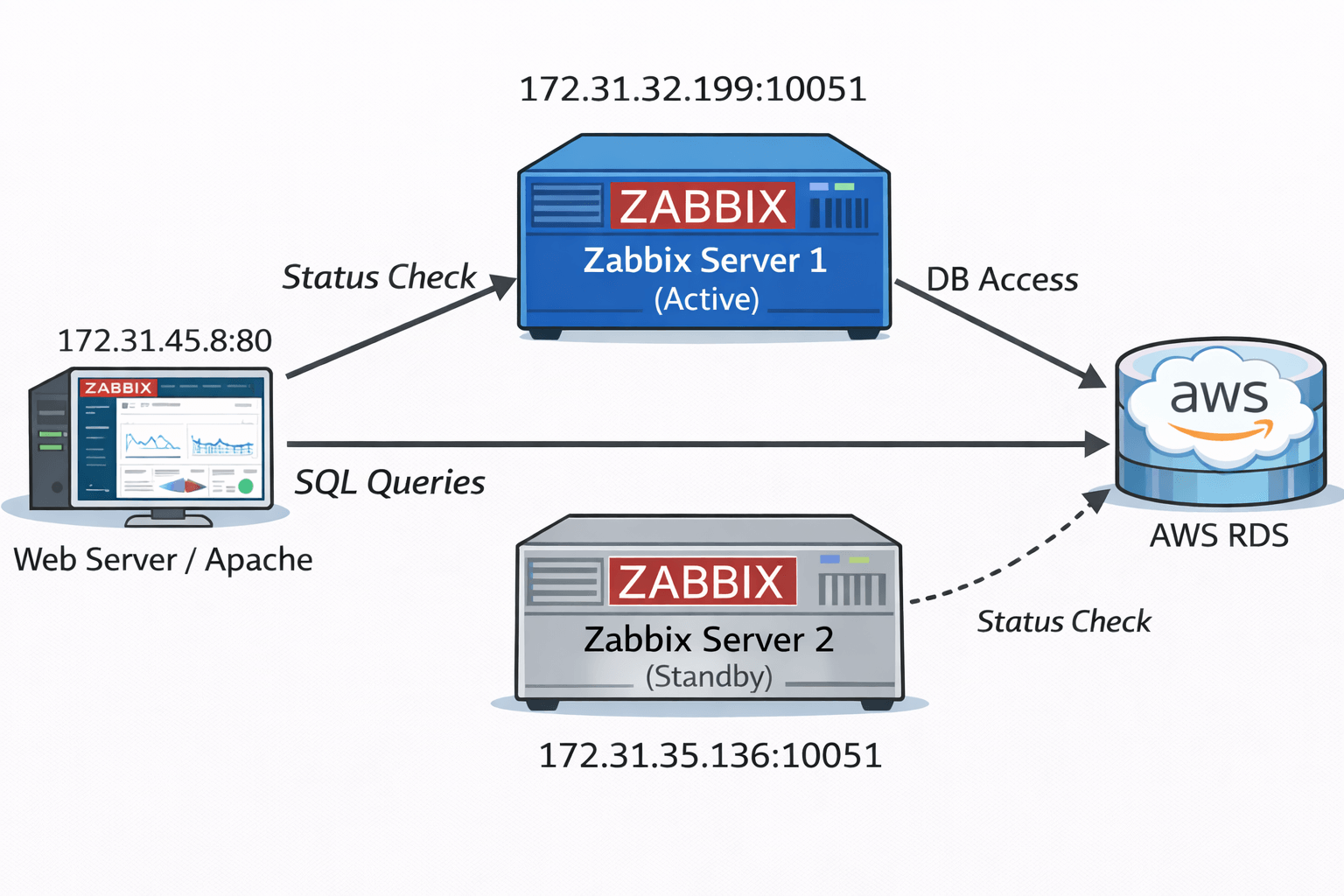
The following diagram summarizes the actual communication flow observed during testing.
Figure 1: Zabbix HA architecture observed during testing. No VIP or heartbeat is used; coordination is done entirely via the database.
Failover Behavior During Testing
This section describes what actually happens at the process and UI level when a failover occurs.
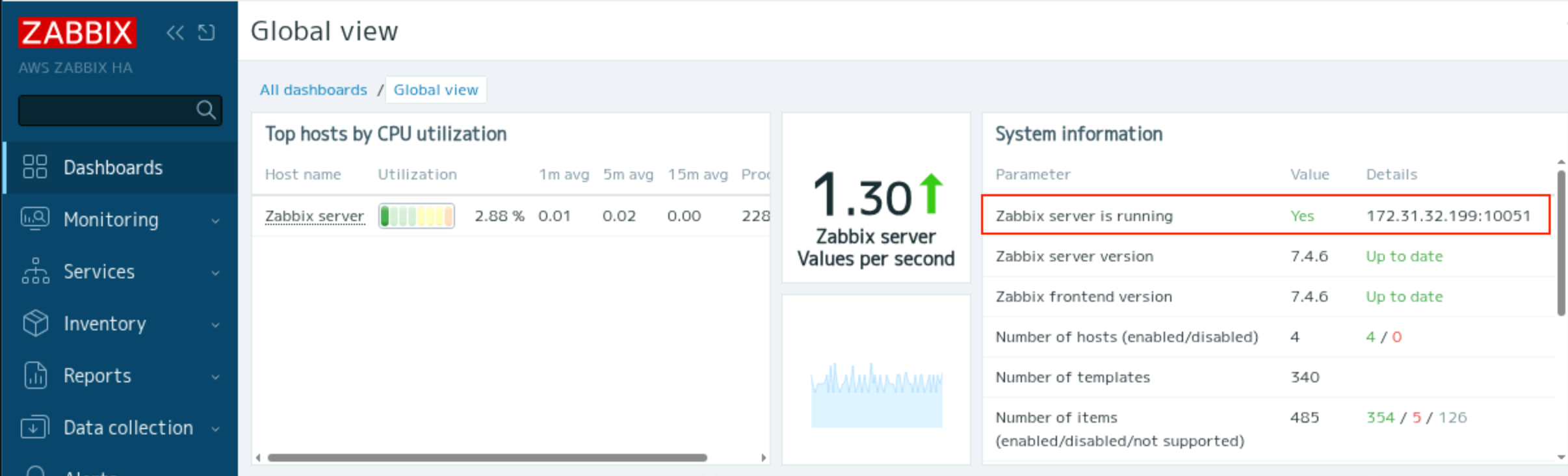
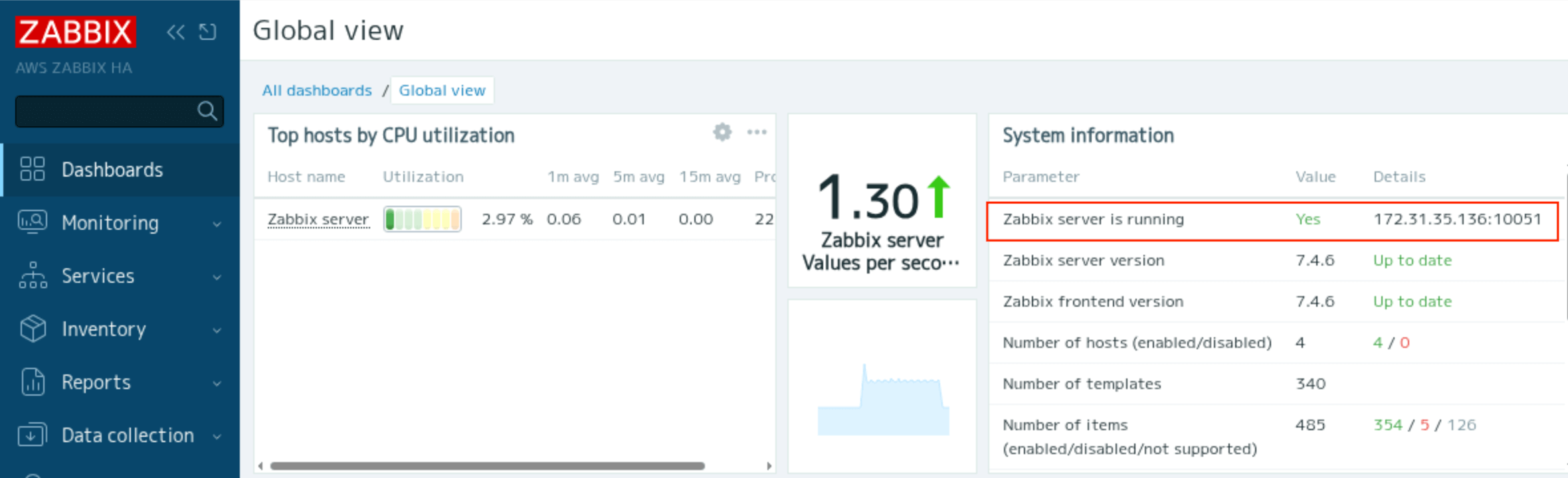
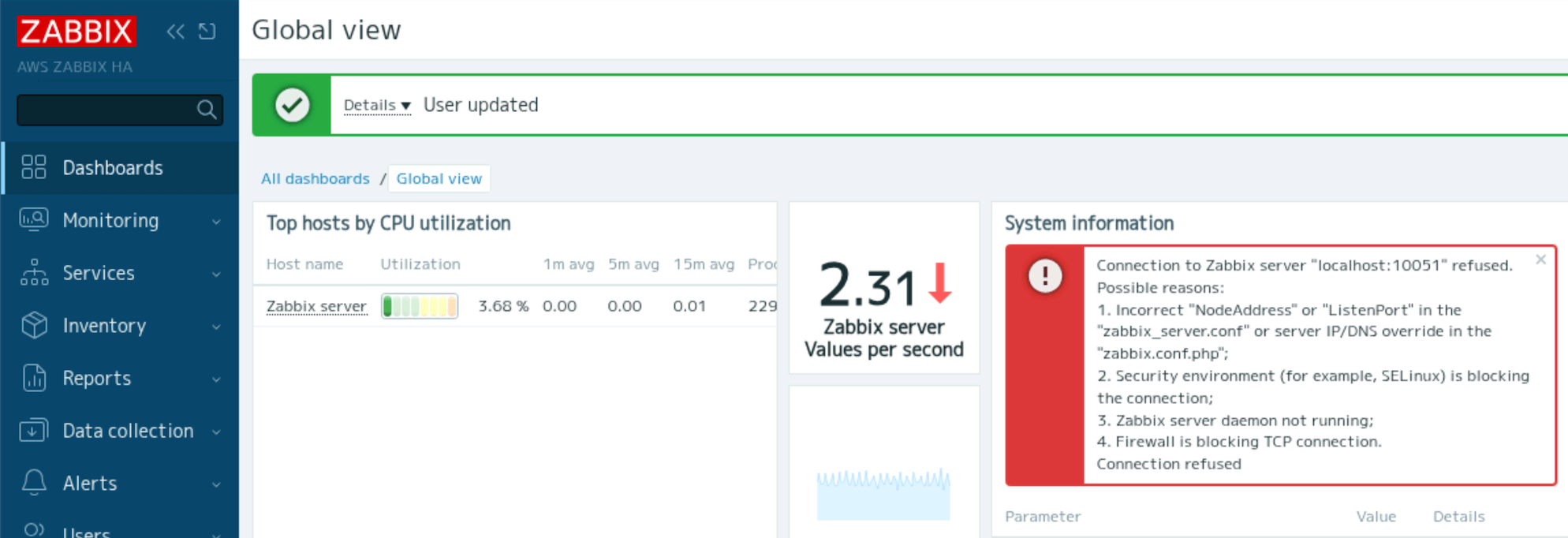
The address of the active node is displayed in System Information on the dashboard. In the above example, the address of the ZABBIX-1 node is displayed as the Zabbix server is running.
You can check the cluster status from Dashboard > Reports > System Information.
Check the zabbix-server process
[rocky@ZABBIX-1 ~]$ sudo systemctl status zabbix-server
You can also check the cluster status with the “zabbix_server -R ha_status” command.
I confirmed that data could be continuously get from the monitored hosts before and after the zabbix-server failover.
“Zabbix server is running”
At first, I configured one web server and one ZABBIX server without HA. In this case, I had to set the address and port of the ZABBIX server in /etc/zabbix/web/zabbix.conf.php
ZBX_SERVER = ‘172.31.32.199’;
ZBX_SERVER_PORT = ‘10051’;
In an HA setup, the Zabbix server address is intentionally left unset in the web frontend configuration.
Instead of a static server address, the web frontend dynamically retrieves the active node address from the database.
Zabbix HA determines node availability solely by monitoring updates to the ha_node.lastaccess field in the database. If the active node fails to update its timestamp within the configured failover_delay, a standby node promotes itself to active. No direct node-to-node communication is involved.
status of the node. 0 – standby; 1 – stopped manually; 2 – unavailable; 3 – active.
Zabbix HA does not rely on direct node-to-node communication. Instead, each node independently evaluates HA state by reading the ha_node table in the database.
Zabbix HA avoids split brain by using the database as the single coordination point. Only the node that successfully updates its HA status in the database can become active. Because all failover decisions and state transitions are serialized through database transactions, simultaneous active nodes cannot occur.
zabbix-agent
/etc/zabbix/zabbix_agentd.conf
Server=172.31.32.199,172.31.35.136
ServerActive=172.31.32.199,172.31.35.136
Set both node addresses in conf.
Conclusion
Zabbix HA does not rely on traditional HA mechanisms such as VIPs or heartbeat communication between nodes.
Instead, coordination between nodes is performed entirely through the database. By separating the web frontend from the Zabbix servers, it becomes clear that:
Only the Zabbix server process is protected by HA.
The web frontend directly accesses the database for most operations.
The active server is determined dynamically based on database state.
Understanding this behavior helps avoid unnecessary complexity and leads to simpler, more predictable Zabbix HA designs.